
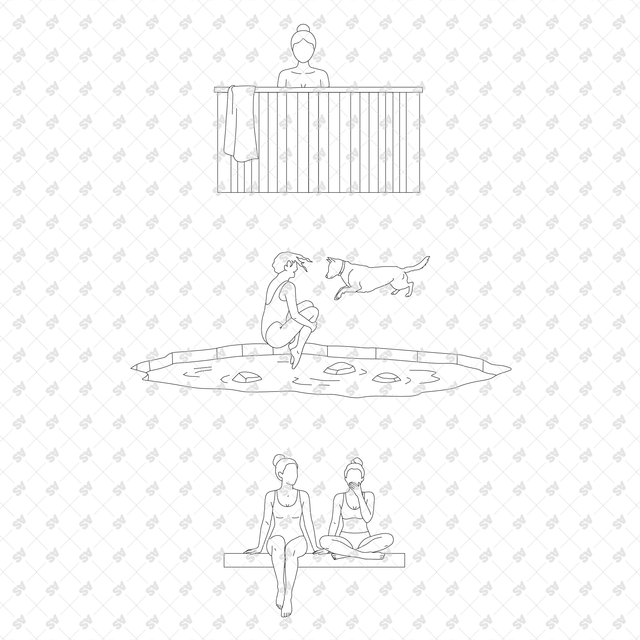


CAD, Vector, PNG Sauna, Wellness and Cold Weather Activities in Front and Side Views
People in Cold Weather Activities
Description: A set of CAD, vector, and PNG line-art drawings of people engaged in cold-weather activities, wellness routines, and sauna use, shown in front and side views. The set includes a variety of actions such as walking through snow, preparing to enter a frozen lake, ice swimming, jumping into icy water, climbing out and drying off, resting by the shore, moving between hot and cold baths, sitting and relaxing in a sauna, pouring water on sauna stones, wrapping in towels or blankets, and socializing in small groups. Perfect for sections, elevations, exploded diagrams, collages, and other architectural documents.
Also, take a look at our other CAD sets HERE
Format: AutoCAD (DWG) + Illustrator (AI) + PNGs (Transparent Background)
Free Products
Free products can be used in any type of use - both academic and commercial. When using a set, a pack or part of it, you are required to give full credit to Studio Alternativi (with an active link for online versions) and to the product's creator.
When a product is used in a project that is published on social media, you are required to give full credit to Studio Alternativi (with an active tag to Studio Alternativi’s profile).
Educational (Academic) Use
When using a product tagged with “Educational Use” you are allowed to use it for academic purposes only. Giving credit to Studio Alternativi is much appreciated.
Commercial Use
Once bought, you are free to use the product without giving attribution.
What is strictly not allowed to do (in all cases)?
Products can’t be sold without being part of a bigger artwork like a drawing, collage, rendering, poster or any other work combining Studio Alternativi’s digital products with other graphic or digital elements.
Also, you are not allowed to use products from Studio Alternativi in similar or any competing services.
RAR / ZIP Folders
Please use WINRAR - a free software to open the compressed folder.
AI Vector Files
Please use Adobe Illustrator to open the files
ABR (Photoshop Brushes)
1. Open Adobe Photoshop
2. Open the Brushes Panel: Window > Brushes
3. Select Import Brushes
4. Locate the .abr file on your hard drive and click open to install
5. The brushes will appear in your Brushes Panel whenever the Brush Tool is selected