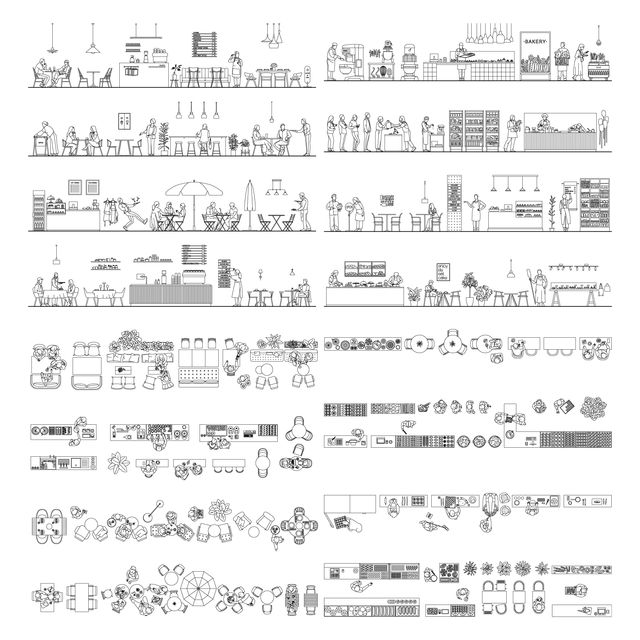
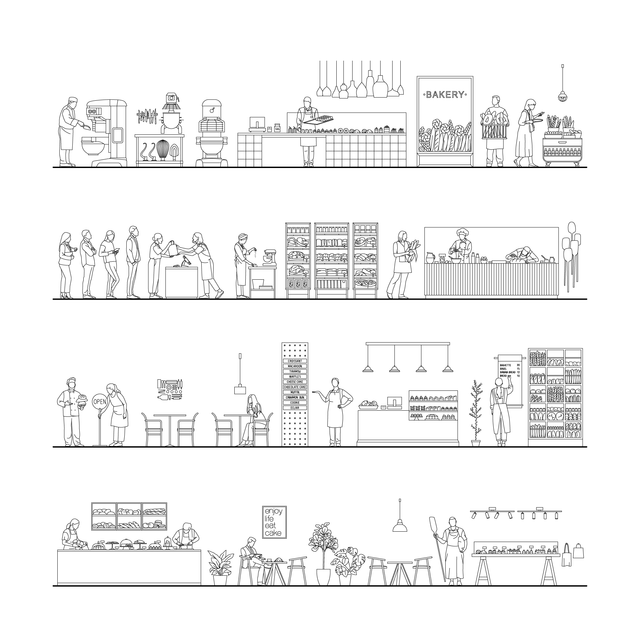
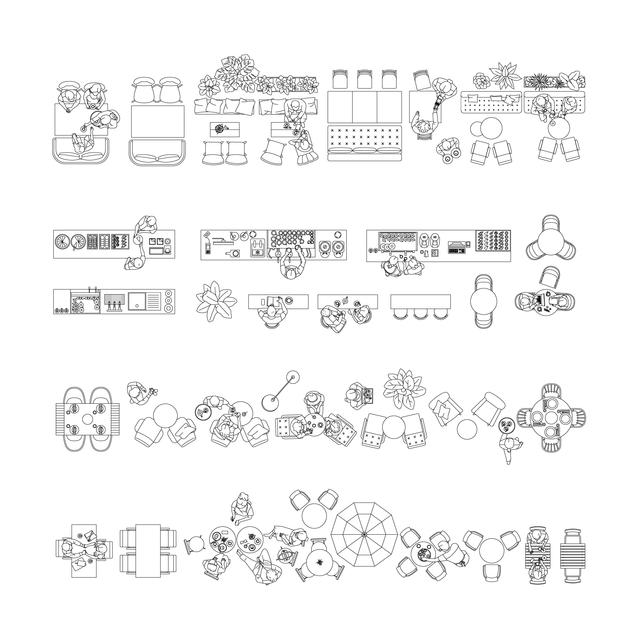
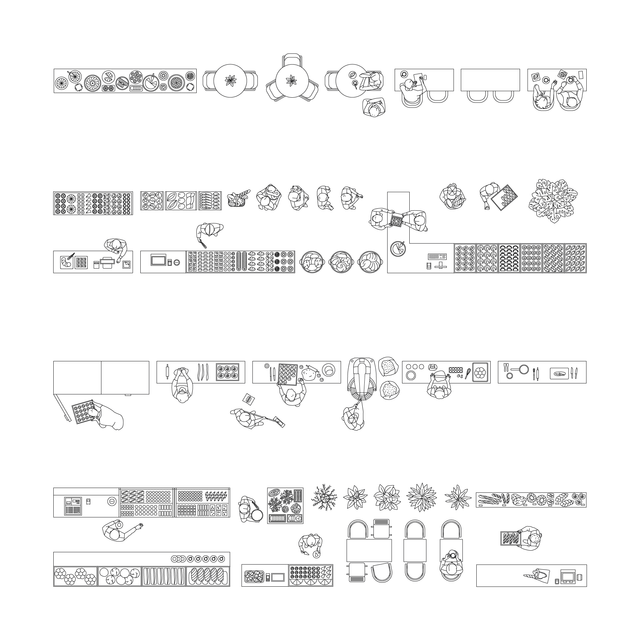
CAD, Vector All You Need for a Bakery and a Coffee Shop Design Mega Pack (Top, Side View)
Everything for a Café and a Baking Shop (Interior and Exterior)
Description:
A CAD and Vector mega pack of bakery and coffee shop design elements in Top View, Side View, and Front View. The set includes detailed line-art drawings of café interiors, bakery counters, people, furniture, display shelves, plants, lighting, kitchen equipment, coffee machines, pastry displays, seating areas, outdoor café scenes, service counters, menu boards, and food accessories. It is designed as a complete drawing library for creating bakery, café, coffee shop, and small food retail projects.
This mega pack is made for architects, students, interior designers, commercial designers, visualizers, competition teams, and post-digital collage creators. It is useful for café interiors, bakery layouts, coffee shop concepts, food retail spaces, street-facing storefronts, commercial interiors, hospitality projects, public-space cafés, presentation boards, plans, sections, elevations, diagrams, collages, and architectural visualizations.
Included Elements:
bakery counters, café counters, coffee machines, espresso machines, mixers, ovens, pastry displays, bread shelves, cake stands, menu boards, tables, chairs, stools, benches, pendant lights, plants, planters, people sitting, people standing, customers, baristas, bakers, waiters, cash registers, food displays, fruit stands, bread baskets, outdoor umbrellas, café terraces, kitchen appliances, service counters, shelves, signage, accessories
This Mega Pack Includes 4 Smaller Sets:
- Bakery Set (Top View)
- Bakery Set (Front and Side Views)
- Café / Coffee Shop Design (Front and Side Views)
- Café / Coffee Shop Design (Top View)
Use Cases:
architectural drawings, interior design drawings, bakery design, coffee shop design, café design, hospitality interiors, food retail design, commercial interiors, floor plans, sections, elevations, storefront drawings, furniture layouts, public-space design, diagrams, presentation boards, competition boards, post-digital collages, architectural visualization workflows
Why This Set:
Complete CAD and Vector bakery and coffee shop library
Top View, Side View, and Front View elements included
Clean linework for architectural and interior drawings
Useful for adding scale, activity, atmosphere, and context
Editable DWG and AI files
Saves time compared to buying separate smaller sets
Great for café interiors, bakery layouts, food retail, and hospitality projects
Suitable for technical documents and visual presentations
File Format:
AutoCAD .DWG + Illustrator .AI.
Keywords:
CAD Vector bakery design, CAD Vector coffee shop design, bakery CAD blocks, coffee shop CAD blocks, café CAD blocks, bakery vector, coffee shop vector, café vector, DWG bakery, DWG coffee shop, AI bakery, AI coffee shop, architectural entourage, interior design entourage, top view café, top view bakery, side view café, side view bakery, front view café, front view bakery, bakery furniture CAD, café furniture CAD, coffee machine CAD, bakery counter CAD, café counter CAD, pastry display CAD, barista CAD, baker CAD, people in café CAD, hospitality design, food retail design, commercial interior design, architectural visualization, post-digital collage, presentation boards, competition boards
Free Products
Free products can be used in any type of use - both academic and commercial. When using a set, a pack or part of it, you are required to give full credit to Studio Alternativi (with an active link for online versions) and to the product's creator.
When a product is used in a project that is published on social media, you are required to give full credit to Studio Alternativi (with an active tag to Studio Alternativi’s profile).
Educational (Academic) Use
When using a product tagged with “Educational Use” you are allowed to use it for academic purposes only. Giving credit to Studio Alternativi is much appreciated.
Commercial Use
Once bought, you are free to use the product without giving attribution.
What is strictly not allowed to do (in all cases)?
Products can’t be sold without being part of a bigger artwork like a drawing, collage, rendering, poster or any other work combining Studio Alternativi’s digital products with other graphic or digital elements.
Also, you are not allowed to use products from Studio Alternativi in similar or any competing services.
RAR / ZIP Folders
Please use WINRAR - a free software to open the compressed folder.
AI Vector Files
Please use Adobe Illustrator to open the files
ABR (Photoshop Brushes)
1. Open Adobe Photoshop
2. Open the Brushes Panel: Window > Brushes
3. Select Import Brushes
4. Locate the .abr file on your hard drive and click open to install
5. The brushes will appear in your Brushes Panel whenever the Brush Tool is selected