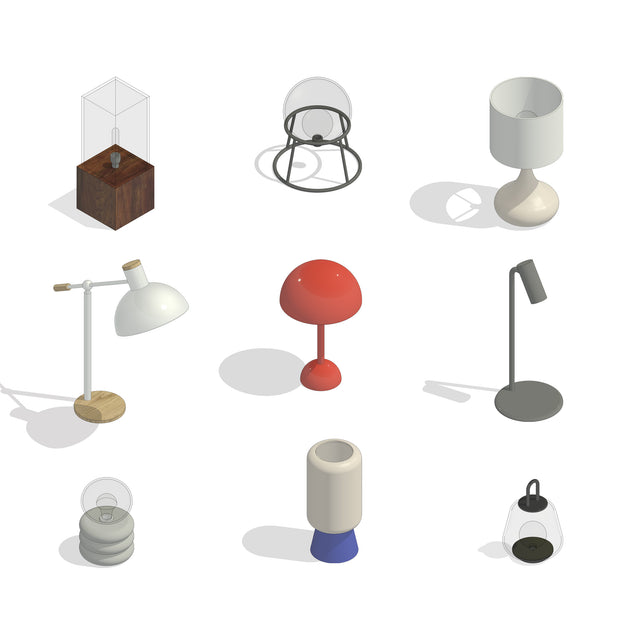
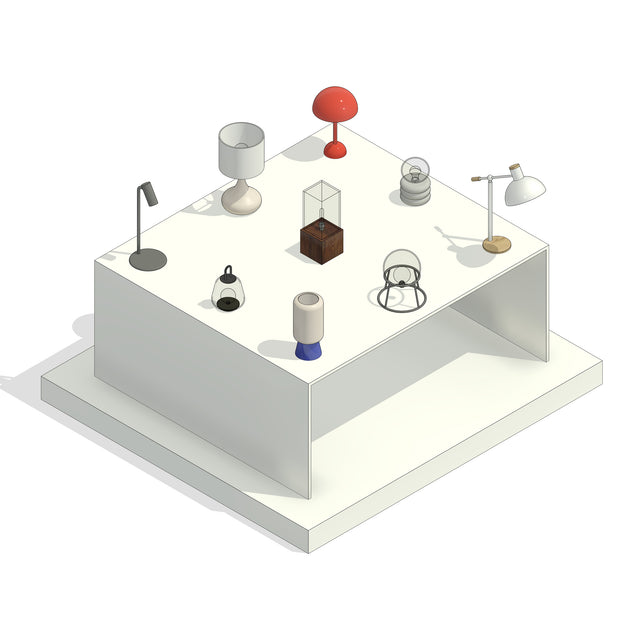


Revit Family - Table and Desk Lamps
Lamps for Tables and Desks
Description: Set of 9 Revit families for contemporary table lighting, featuring table lamps such as adjustable, block lantern, diffuse cylinder, directional spot, globe frame, mushroom, portable bell, stacked sculptural, and teardrop designs, all created in a clean modern style that makes it easy to build cohesive interior scenes, ideal for residential interiors, bedrooms, living rooms, and home offices.
Files are in native Revit 2023 format and are compatible with Revit 2023 and newer versions. Materials are parametric and can be adjusted directly in Revit.
An IFC version is included for coordination and viewing in other BIM software. IFC files are not editable like native Revit families.
Keywords: Modern table lamp, desk lamp, Revit lighting set, adjustable lamp, mushroom lamp, sculptural lamp, portable lamp, block lantern, residential interior, architectural visualization, Revit lighting family pack, contemporary lighting
File format: Revit Families (.RFA), compatible with Revit 2023 and newer versions. Also includes a Revit model (.RVT) for easy copy-and-paste into your own project.
Free Products
Free products can be used in any type of use - both academic and commercial. When using a set, a pack or part of it, you are required to give full credit to Studio Alternativi (with an active link for online versions) and to the product's creator.
When a product is used in a project that is published on social media, you are required to give full credit to Studio Alternativi (with an active tag to Studio Alternativi’s profile).
Educational (Academic) Use
When using a product tagged with “Educational Use” you are allowed to use it for academic purposes only. Giving credit to Studio Alternativi is much appreciated.
Commercial Use
Once bought, you are free to use the product without giving attribution.
What is strictly not allowed to do (in all cases)?
Products can’t be sold without being part of a bigger artwork like a drawing, collage, rendering, poster or any other work combining Studio Alternativi’s digital products with other graphic or digital elements.
Also, you are not allowed to use products from Studio Alternativi in similar or any competing services.
RAR / ZIP Folders
Please use WINRAR - a free software to open the compressed folder.
AI Vector Files
Please use Adobe Illustrator to open the files
ABR (Photoshop Brushes)
1. Open Adobe Photoshop
2. Open the Brushes Panel: Window > Brushes
3. Select Import Brushes
4. Locate the .abr file on your hard drive and click open to install
5. The brushes will appear in your Brushes Panel whenever the Brush Tool is selected