Illustrator Pattern Library - Architectural Materials Mega-Pack 2
Illustrator Pattern Library - Architectural Materials Mega-Pack 2
Description:
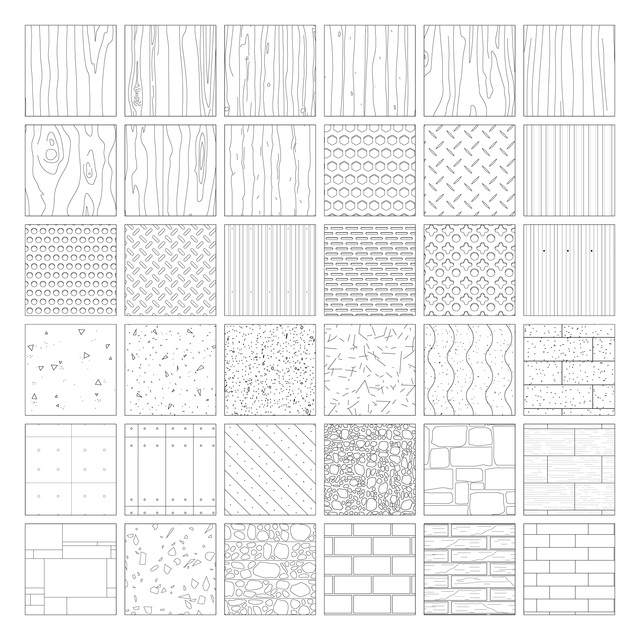
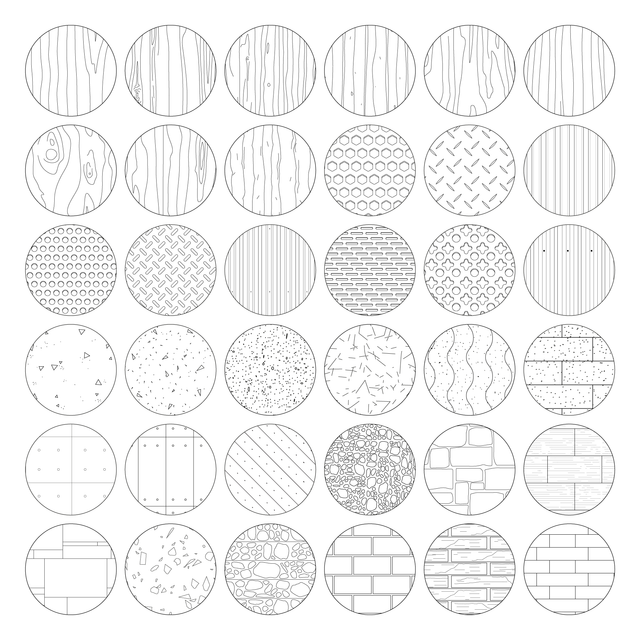
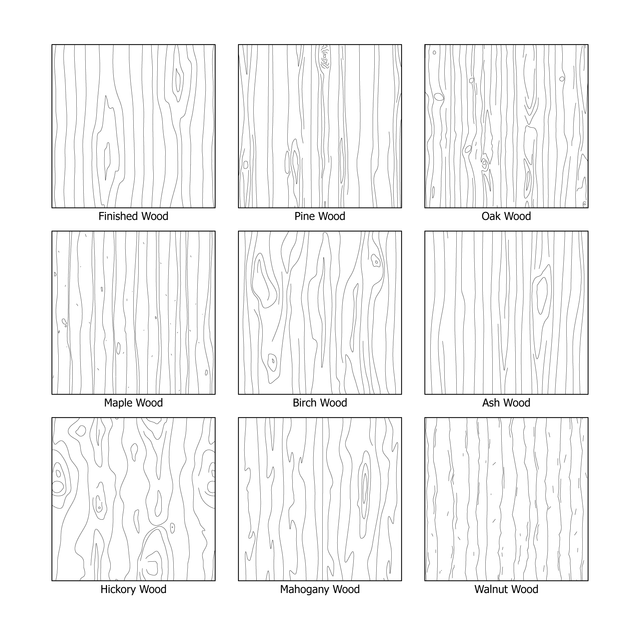
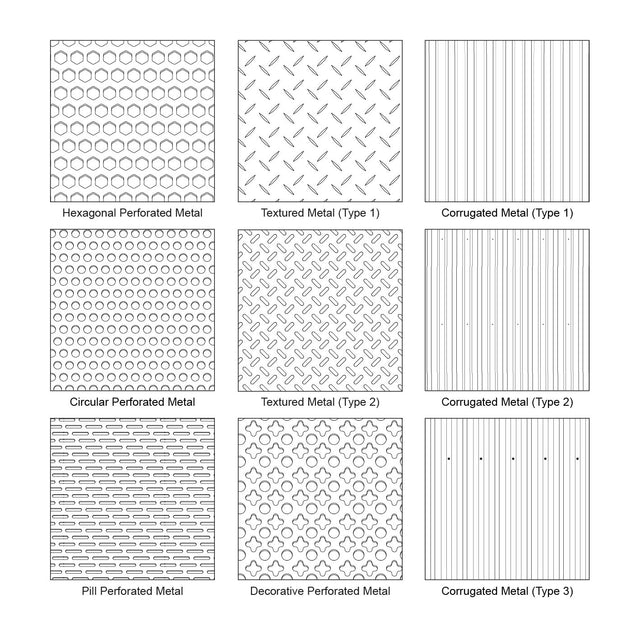
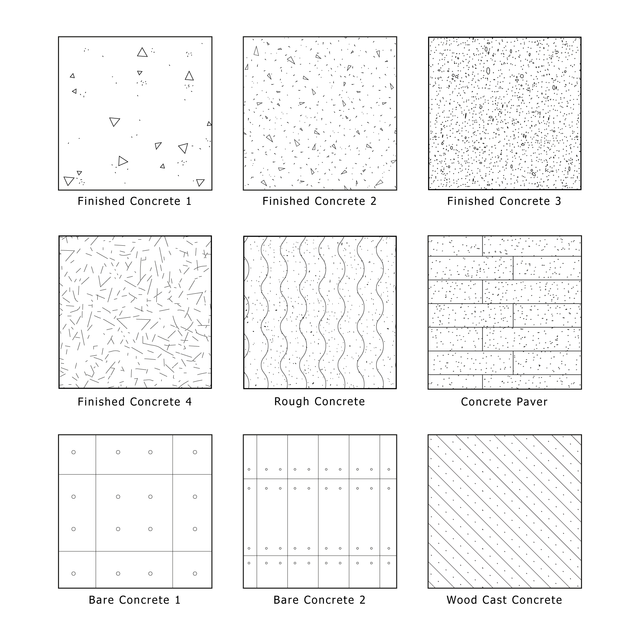
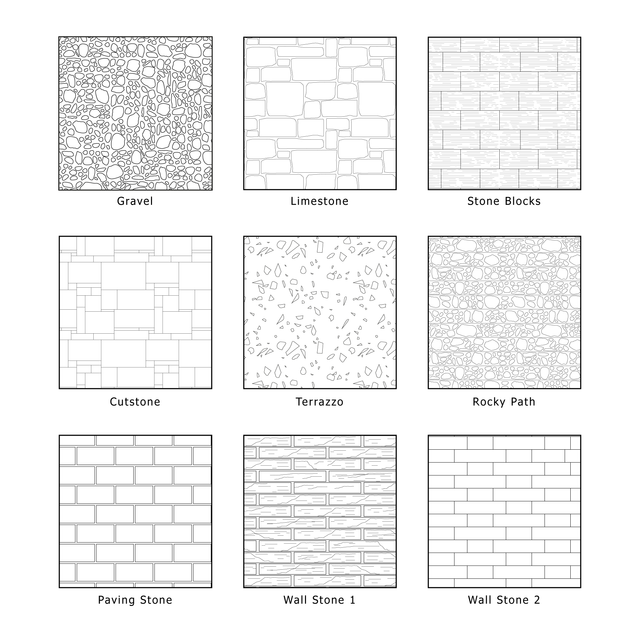
A mega pack of 36 editable Adobe Illustrator architectural material patterns for architectural visuals, technical drawings, documents, diagrams, and post-digital collages. The set includes clean symbolic vector patterns for wood, metal, concrete, and stone, designed to work like architectural hatches inside Adobe Illustrator. These patterns are useful for defining materials in plans, sections, elevations, details, schemes, axonometric drawings, isometric drawings, presentation boards, and visual documents.
The pack also includes square and circular preview thumbnails, making it easier to browse, compare, and select the right material pattern for your architectural drawings and visual compositions.
This set is designed for architects, students, interior designers, landscape designers, urban designers, visualizers, competition teams, and post-digital collage creators. It is useful for architectural details, material studies, façade drawings, floor plans, wall sections, interior elevations, construction documents, competition boards, and architectural presentations where clear material definition is needed.
Included Elements:
wood patterns, wooden grain patterns, finished wood, pine wood, oak wood, maple wood, birch wood, ash wood, hickory wood, mahogany wood, walnut wood, metal patterns, perforated metal, diamond plate metal, corrugated metal, mesh metal, concrete patterns, finished concrete, rough concrete, bare concrete, concrete paver, wood cast concrete, stone patterns, gravel, limestone, stone blocks, cutstone, terrazzo, rocky path, paving stone, wall stone, architectural material patterns, Illustrator hatches, vector hatches, symbolic patterns, editable vector patterns, AI swatches, architectural swatches, material swatches, square preview thumbnails, circular preview thumbnails
This Mega Pack Includes 4 Smaller Sets:
1. Illustrator Pattern Library - Wooden Patterns
2. Illustrator Pattern Library - Metal Patterns
3. Illustrator Pattern Library - Concrete Patterns
4. Illustrator Pattern Library - Stone Patterns
Use Cases:
architectural drawings, plans, sections, elevations, construction details, façade studies, wall sections, interior elevations, material diagrams, technical documents, axonometric drawings, isometric drawings, post-digital collages, presentation boards, competition boards, concept diagrams, architectural visualization workflows
Why This Set:
36 editable Illustrator architectural patterns
Works like AutoCAD hatches inside Adobe Illustrator
Clean vector linework for architectural drawings
Useful for defining wood, metal, concrete, and stone materials
Editable AI swatches for fast material application
Includes square and circular preview thumbnails
Great for plans, sections, elevations, and details
Suitable for technical documents and visual presentations
Useful for post-digital collage and diagram workflows
Saves time compared to buying separate smaller sets
Installation in Adobe Illustrator:
Window menu > Swatches > In the Swatches window, click the top right corner button > Open Swatch Library > Other Library > Choose the downloaded file > Click Open.
The pattern library will appear as a separate swatch group. Select the object you want to fill, then click the pattern swatch to apply it.
How to Resize a Pattern in Illustrator:
Select the object with the pattern applied. Go to Object > Transform > Scale. In the Scale window, adjust the percentage value. Keep Uniform selected to maintain proportions. Check Preview to see the change in real time, then click OK.
File Format:
Adobe Illustrator .AI + Adobe Illustrator Swatch File .AI.
Keywords:
Illustrator Pattern Library, architectural materials mega pack, architectural patterns, Illustrator patterns, Illustrator hatches, vector hatches, AI patterns, AI swatches, Adobe Illustrator swatches, editable vector patterns, symbolic patterns, material patterns, architectural material patterns, wood patterns, wooden patterns, finished wood pattern, pine wood pattern, oak wood pattern, maple wood pattern, birch wood pattern, ash wood pattern, hickory wood pattern, mahogany wood pattern, walnut wood pattern, metal patterns, perforated metal pattern, diamond plate metal pattern, corrugated metal pattern, mesh metal pattern, concrete patterns, finished concrete pattern, rough concrete pattern, bare concrete pattern, concrete paver pattern, wood cast concrete pattern, stone patterns, gravel pattern, limestone pattern, stone blocks pattern, cutstone pattern, terrazzo pattern, rocky path pattern, paving stone pattern, wall stone pattern, architecture hatches, architectural hatches, material hatches, square thumbnails, circular thumbnails, plans, sections, elevations, construction details, wall sections, façade drawings, interior elevations, axonometric drawings, isometric drawings, post-digital collage, architectural visualization, presentation boards, competition boards, architecture documents
Free Products
Free products can be used in any type of use - both academic and commercial. When using a set, a pack or part of it, you are required to give full credit to Studio Alternativi (with an active link for online versions) and to the product's creator.
When a product is used in a project that is published on social media, you are required to give full credit to Studio Alternativi (with an active tag to Studio Alternativi’s profile).
Educational (Academic) Use
When using a product tagged with “Educational Use” you are allowed to use it for academic purposes only. Giving credit to Studio Alternativi is much appreciated.
Commercial Use
Once bought, you are free to use the product without giving attribution.
What is strictly not allowed to do (in all cases)?
Products can’t be sold without being part of a bigger artwork like a drawing, collage, rendering, poster or any other work combining Studio Alternativi’s digital products with other graphic or digital elements.
Also, you are not allowed to use products from Studio Alternativi in similar or any competing services.
RAR / ZIP Folders
Please use WINRAR - a free software to open the compressed folder.
AI Vector Files
Please use Adobe Illustrator to open the files
ABR (Photoshop Brushes)
1. Open Adobe Photoshop
2. Open the Brushes Panel: Window > Brushes
3. Select Import Brushes
4. Locate the .abr file on your hard drive and click open to install
5. The brushes will appear in your Brushes Panel whenever the Brush Tool is selected