

ArchiCAD Vector PNG People in the Office
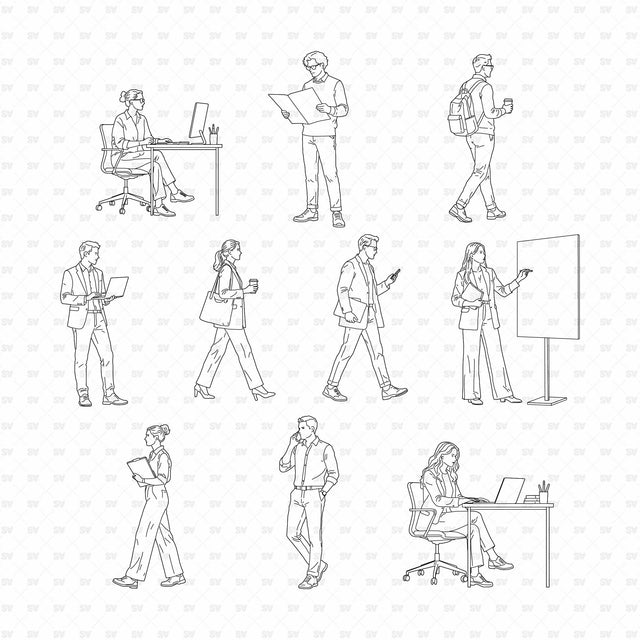
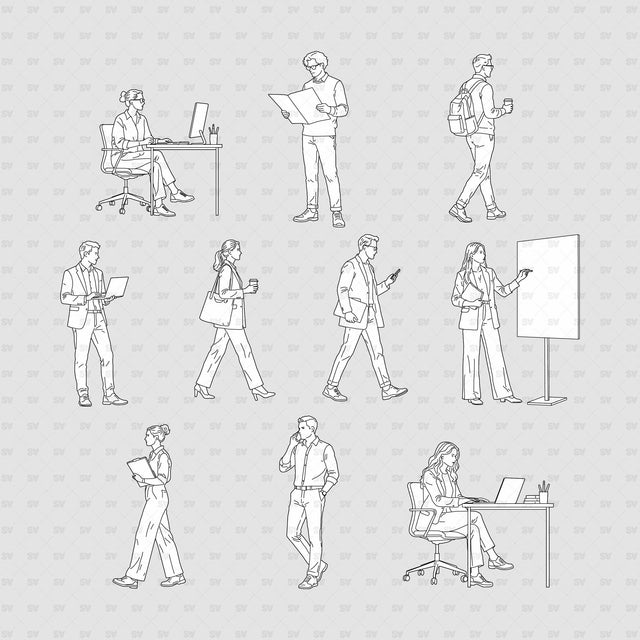
Description: ArchiCAD, Vector, and PNG set of 10 people in office settings, with a separate whiteboard. Seated and standing activities are drawn in a mix of profile, frontal, and three-quarter poses for architectural interiors.
Designed for architects, interior designers, students, visualizers, and competition teams preparing workplace and shared-office presentations.
Included Elements: Two seated computer-work scenes; people reading a folder, using a laptop, carrying coffee, checking a phone, presenting, carrying a clipboard, and making a phone call. Ten people in total, plus one separate blank whiteboard with a base. Eleven individual PNG files.
Use Cases: Office elevations and sections, workplace interior presentations, coworking spaces, meeting rooms, competition boards, and post-digital collages.
Why This Set:
Ten people showing everyday office activities
Seated work scenes with desks and chairs
Editable ArchiCAD and Illustrator artwork
Transparent PNGs with white object fills
File Format: ArchiCAD 28 (.PLN), Adobe Illustrator (.AI), and individual 300 dpi PNGs with transparent backgrounds.
Free Micro Set: Select Micro Set for four office people: a seated desktop-computer user, a man reading a folder, a standing laptop user, and a woman carrying coffee.
Free Products
Free products can be used in any type of use - both academic and commercial. When using a set, a pack or part of it, you are required to give full credit to Studio Alternativi (with an active link for online versions) and to the product's creator.
When a product is used in a project that is published on social media, you are required to give full credit to Studio Alternativi (with an active tag to Studio Alternativi’s profile).
Educational (Academic) Use
When using a product tagged with “Educational Use” you are allowed to use it for academic purposes only. Giving credit to Studio Alternativi is much appreciated.
Commercial Use
Once bought, you are free to use the product without giving attribution.
What is strictly not allowed to do (in all cases)?
Products can’t be sold without being part of a bigger artwork like a drawing, collage, rendering, poster or any other work combining Studio Alternativi’s digital products with other graphic or digital elements.
Also, you are not allowed to use products from Studio Alternativi in similar or any competing services.
RAR / ZIP Folders
Please use WINRAR - a free software to open the compressed folder.
AI Vector Files
Please use Adobe Illustrator to open the files
ABR (Photoshop Brushes)
1. Open Adobe Photoshop
2. Open the Brushes Panel: Window > Brushes
3. Select Import Brushes
4. Locate the .abr file on your hard drive and click open to install
5. The brushes will appear in your Brushes Panel whenever the Brush Tool is selected